

Your Fundraising Page
This guide will teach you how to check your fundraising progress
1. Login to portal at apply.focusmissions.org
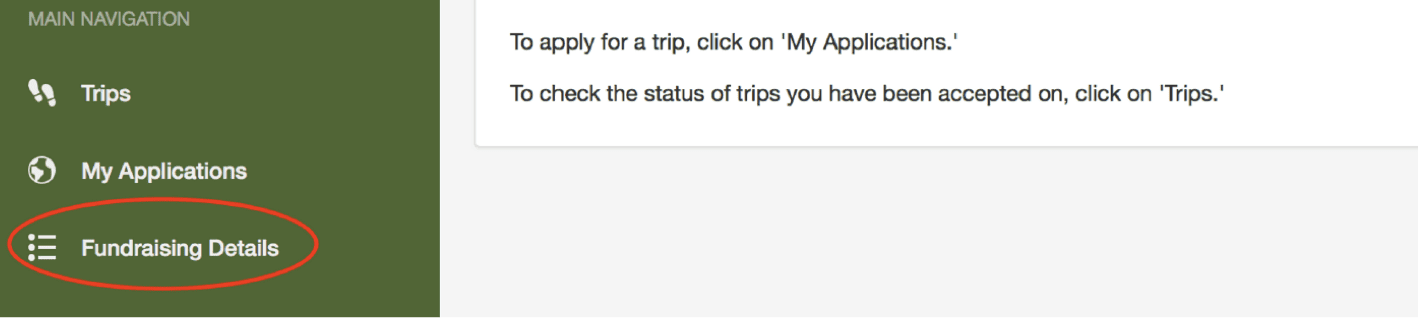
2. Click “Fundraising Details”
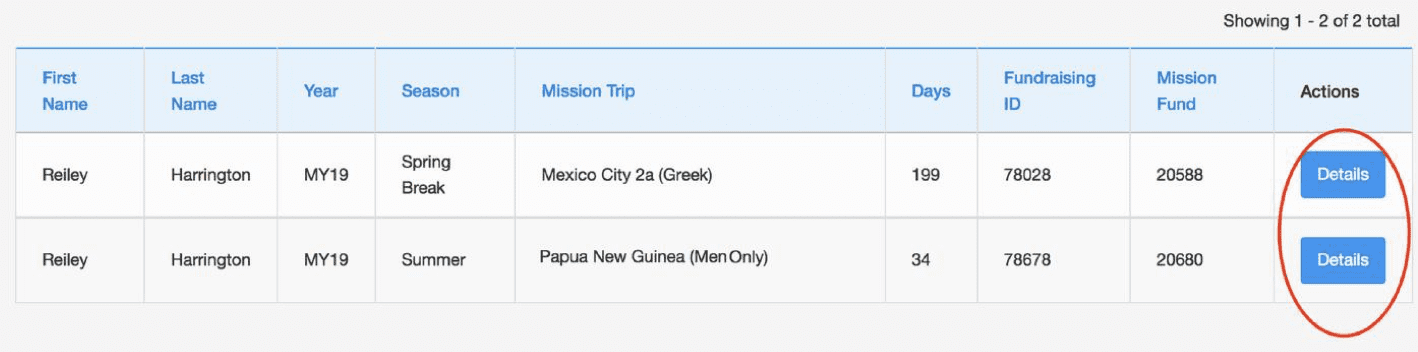
3. Click “Details”
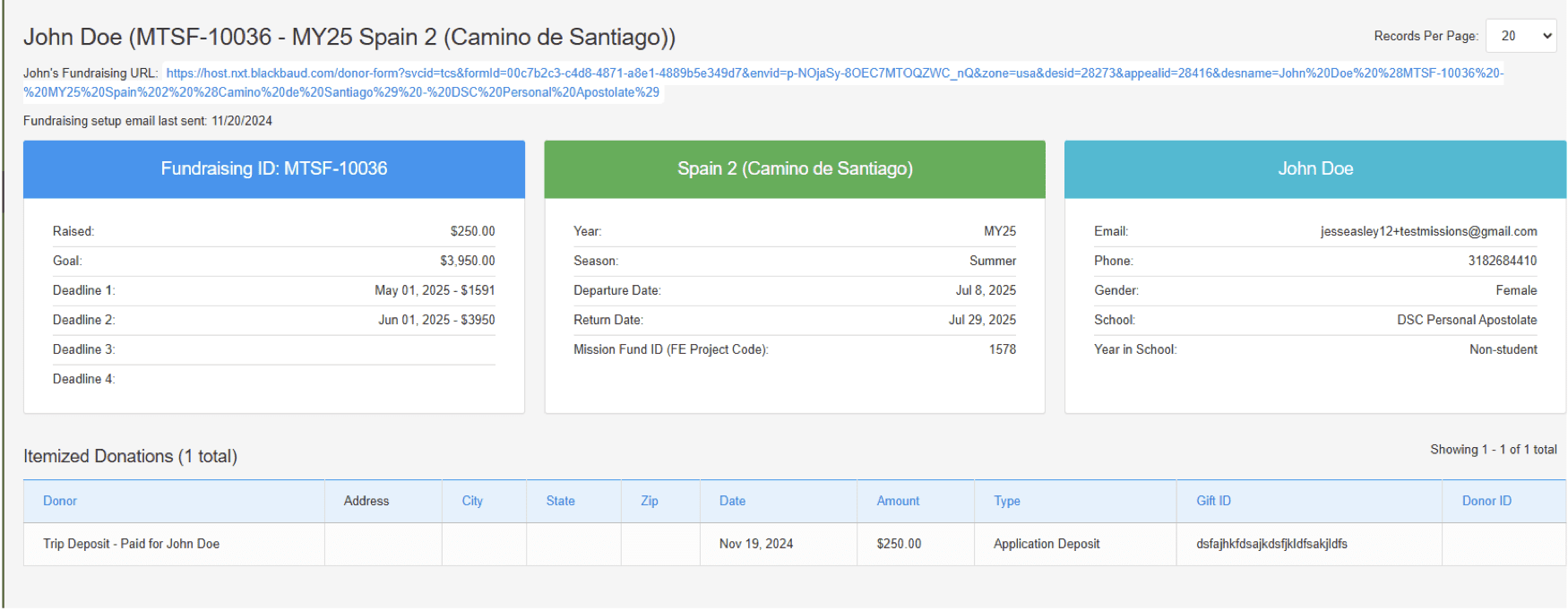
4. Check on your progress
- This page will give you all the information you need regarding your donations.
- You should also manually log the donations you receive for comparison and tracking purposes.
- Please note in busy times it may take several days for gifts to process.
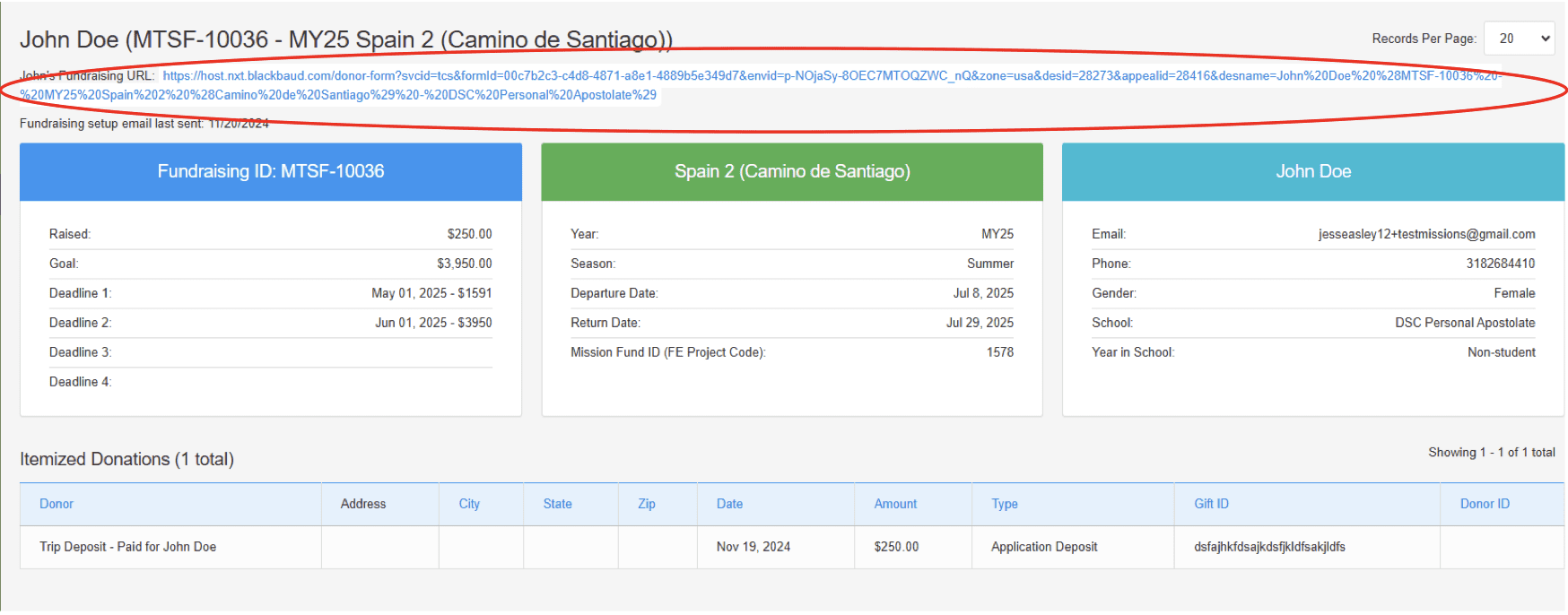
5. Access your fundraising link
- You can click your fundraising URL which will take you to the form where people can make donations
- FOCUS recommends using a platform to shorten the URL link such as tinyurl, etc.
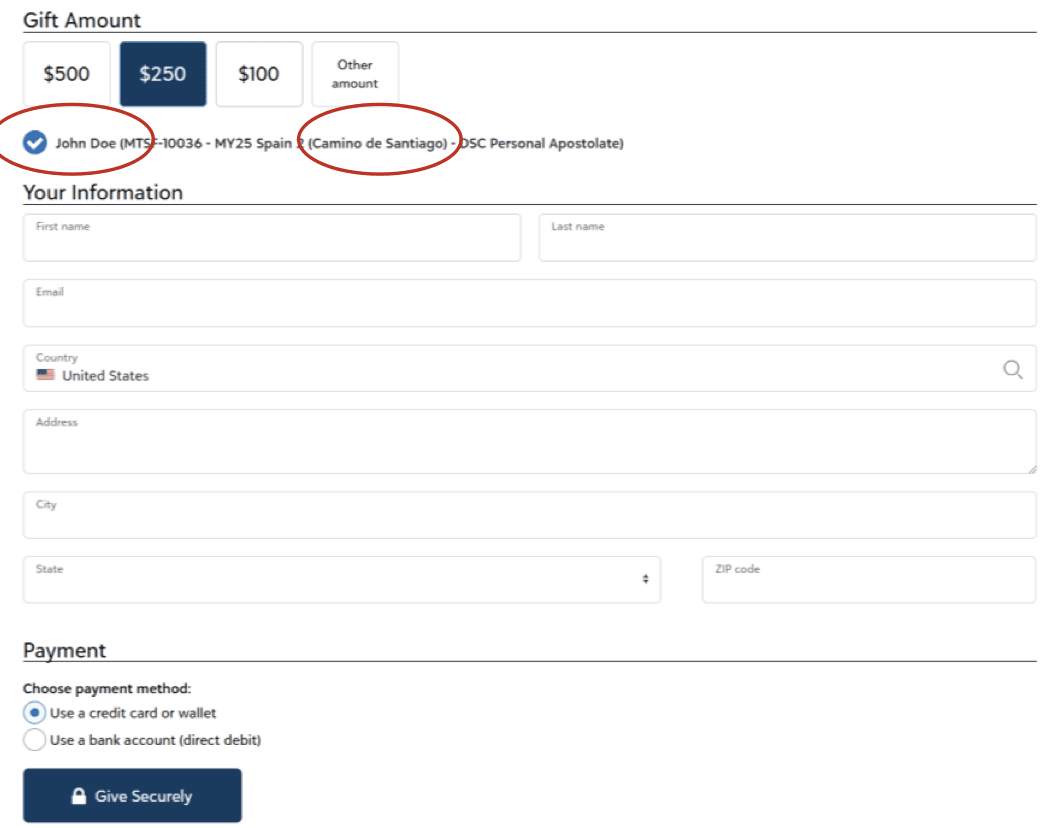
6. View your donation page and confirm your name and trip name is there
 Give
Give
