

Completing Participant Forms
This guide gives instructions on how to upload your participant forms.
1. Go to apply.focusmissions.org and log in
2. Click “My Applications”

3. Click “Accepted Form” for your trip
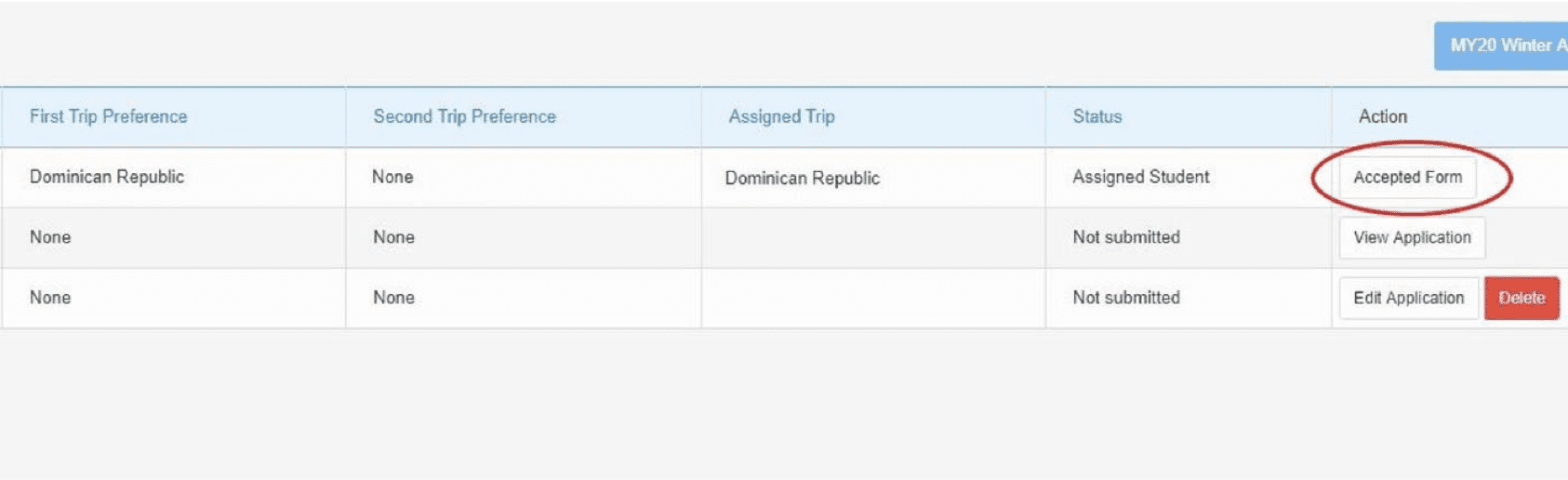
4. Complete the Biographical, Emergency Contacts, and Medical/Dietary tabs
5. Select “Liability Waiver” from the menu bar and download the form. Please fill out every initial and signature required

6. Take a picture or scan ALL the pages of the form and upload it
- Select “Liability Waiver” from the menu bar and download the form. Please fill out every initial and signature required
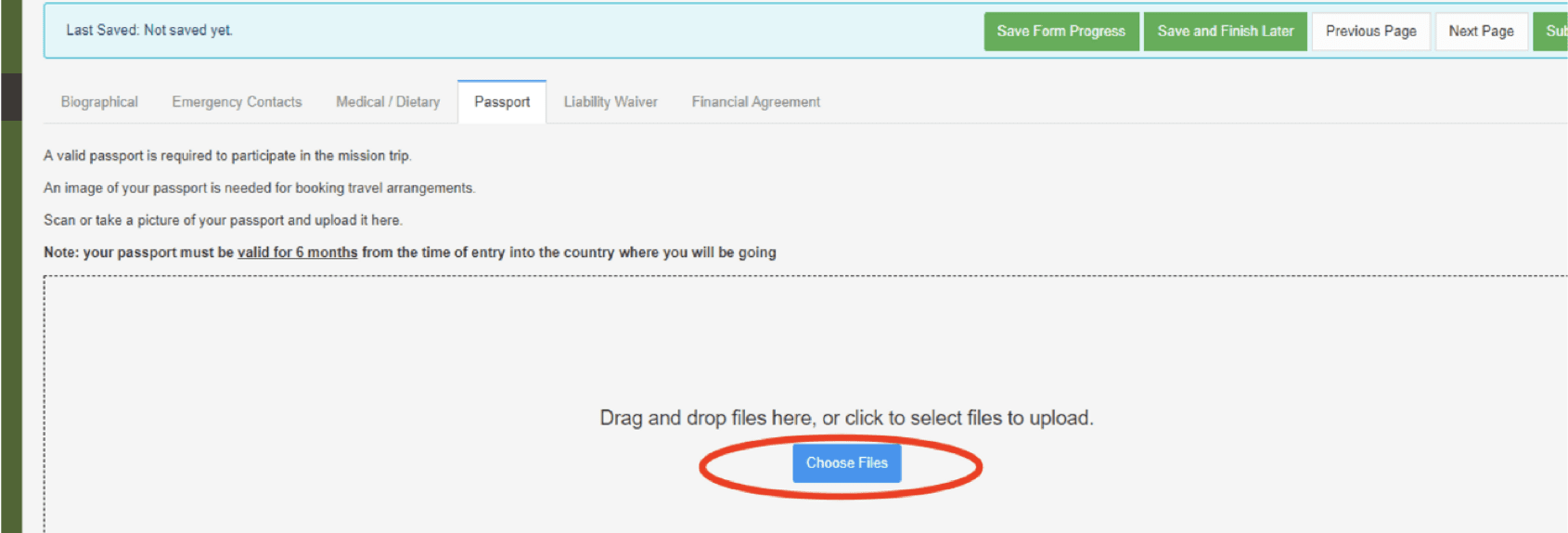
8. Repeat steps 5-6 for the financial agreement and step 7 for your passport
9. Select “Submit Form” when finished
- Please submit your forms even if you do not have a passport. You can log back in and upload a picture of your passport even after you submit your forms.
 Give
Give
